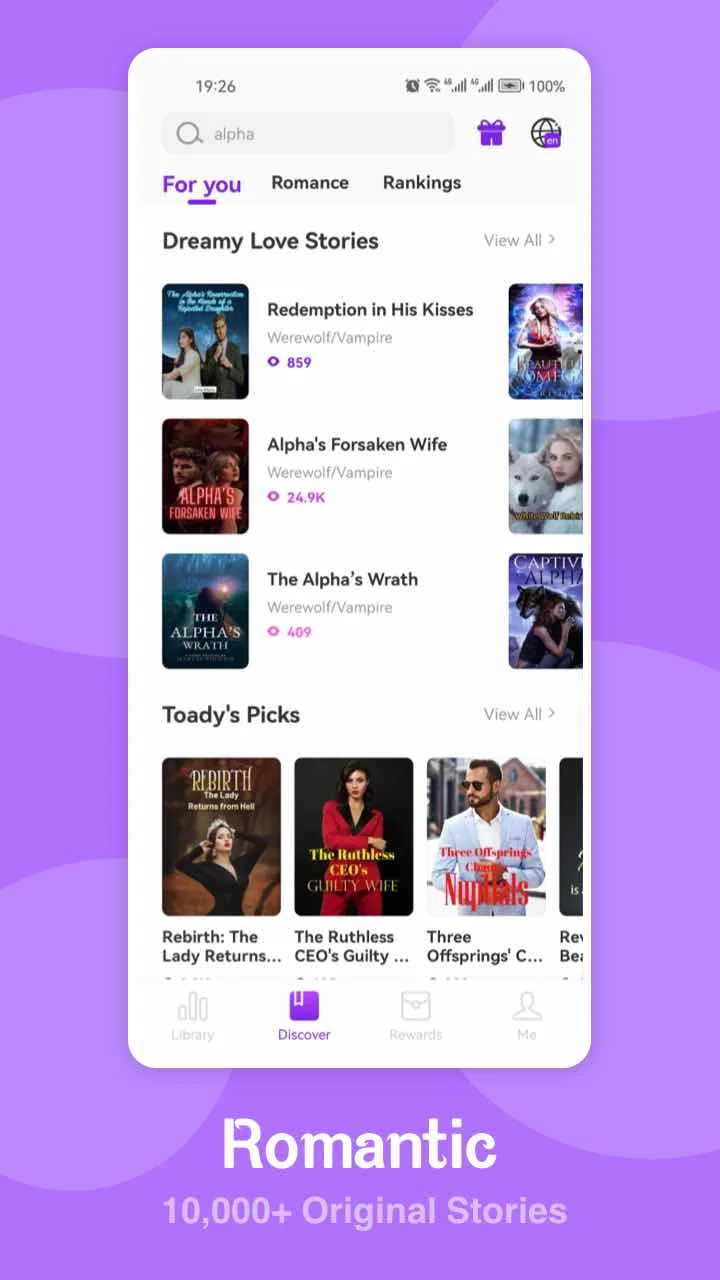
Novelverse - Novels & Stories
- 4.0
- Rating
- 100.00K
- Installs
- Free
- Price

 Analysis by App-foxy
I spent time with Novelverse - Novels & Stories as a reading app rather than treating it like a simple catalog of books. It sits in the Books & Reference category and focuses on serialized fiction, especially romance, billionaire or CEO stories, and fantasy. That combination makes its appeal easy to understand: it is built for readers who want a quick escape, a continuing plot, and a large supply of dramatic chapters to return to whenever they have a spare moment.
My overall impression is mixed in a useful way. The app is approachable for people who already enjoy mobile fiction, and its free entry point makes trying it uncomplicated. At the same time, the reading experience asks you to accept the habits of serialized-novel platforms: stories are designed to keep you coming back, the mature audience matters, and optional purchases can become relevant during longer reading sessions. I would recommend it to the right reader, but I would not present it as a universal replacement for an ebook reader, a library app, or a quiet long-form reading platform.
How the reading experience works for different readers
I approach this section by looking at how the same reading format can feel different depending on a person’s habits, comfort, and reason for opening the app. In particular, I’ll weigh the appeal of ongoing genre fiction against practical needs such as screen comfort, predictable spending, and age suitability, so it’s easier to see which readers are likely to settle in and which may prefer another format.
You May Also Like

 Blood Strike: 2.5 Anniversary
Blood Strike’s Loadouts Turn Every Drop Into a Tactical Gamble
A close look at Blood Strike’s custom loadouts: how fast access to signature weapons reshapes its battle royale rhythm, rewards preparation, and narrows the gap between fights.

 Pandora - Music & Podcasts
Pandora’s Music Is Easy to Start, but Harder to Recover
Pandora’s strength is its low-effort path from a seed to a station. Its weak spot is how much confidence it asks you to place in connection, setup, and quiet recovery.

 8 Ball Pool
8 Ball Pool Is Built on Rivalries, Rematches, and Routine
A close look at the rivalries, rematches, shared routines, and unanswered safety questions that turn a quick pool match into a persistent mobile community.

 Samsung Music
Samsung Music’s Quiet Strength Is Playing What You Already Own
Its reach comes less from spectacle than from dependable access to a personal library. That simplicity is both the app’s strongest retention engine and its ceiling.

 AccuWeather: Weather Radar
AccuWeather Review: A Quick, Clear Forecast for Everyday Decisions
For everyday plans, the best forecast is the one you can understand quickly. AccuWeather makes rain timing, radar, and local conditions easy to act on, with a few trade-offs.

 Hill Climb Racing
Why Hill Climb Racing Still Turns Crashes Into One More Run
A tiny car, a bumpy hill and one more upgrade: Hill Climb Racing keeps resurfacing because its simple chaos makes every near-miss feel personal.
More From Our News Desk



Readability and navigation come first
The most important question with an app like this is not simply how many stories it contains, but whether I can find something suitable and settle into reading without unnecessary effort. Novelverse’s identity is clear from the moment you consider it: this is for romantic novels, high-status relationship drama, and fantasy fiction rather than a broad reference library. That focus can be helpful because a reader who already knows those tastes does not need to sort through unrelated nonfiction or educational material.
I found the strongest use case was browsing by mood. If I wanted a relationship-centered plot, a powerful CEO character, or an imaginative setting, the app’s narrow editorial direction gave me a reasonable starting point. That is more useful than opening a general ebook service and facing a huge mixture of genres, formats, and publishers. On the other hand, readers who prefer literary fiction, history, manuals, poetry, or a wide range of public-domain works will probably feel constrained quickly.
Serialized reading also changes how navigation feels. A conventional ebook usually encourages me to choose one title, download or open it, and read at my own pace. A novel platform encourages a different rhythm: discover a story, read part of it, return later, and continue from where the narrative paused. That approach works well for short breaks, but it can make the experience feel less like owning a complete book and more like following an ongoing stream of fiction.
For readers who use larger text or need a less crowded screen, the practical test is whether the app’s presentation remains comfortable during a long session. I would advise trying a few chapters before committing to extensive reading. Text-heavy apps can look perfectly manageable for several minutes and become tiring after an hour, particularly when the reader needs generous spacing, strong contrast, or a larger type size. I would not assume that every visual preference is handled equally well simply because the app is primarily text.
One useful habit is to choose a story after reading enough of its opening to judge the prose, pacing, and chapter rhythm rather than relying only on its theme. This matters especially here because a familiar label such as romance or fantasy tells me the broad subject, not whether the writing style will be comfortable for my attention span. I also prefer to begin with a story when I have time to read several chapters, since that gives me a better sense of whether the continuing format suits me.
Motor and sensory considerations during longer sessions
Novelverse is naturally more accessible to someone who can comfortably perform repeated taps, scroll through text, and keep track of a continuing story. Those actions sound minor, but they become significant when reading is done one-handed, while commuting, or with limited fine-motor control. A reader who finds frequent screen interaction tiring may prefer a traditional reading app with a more settled page-turning routine, especially if it offers the exact display controls they need.
I would approach the app with realistic expectations about sensory comfort. Fiction reading is visually demanding, and long sessions can be difficult for people who are sensitive to bright screens, dense text, animation, or frequent interface changes. A phone’s own display settings, such as reduced brightness or a warmer color profile, may help, but those are device-level adjustments rather than proof that the app itself is designed around every visual need.
Audio is another important dividing line. I would choose a dedicated audiobook service instead if listening is my main way of consuming stories, because Novelverse is fundamentally a text-reading destination. It makes more sense for someone who wants to read directly on a phone than for someone looking for narration, hands-free playback, or a reading experience that can continue while cooking, exercising, or traveling.
For readers with attention-related needs, serialized fiction can be either a strength or a weakness. Short reading visits make it easier to fit a story into a busy day, and a dramatic chapter ending can provide a clear reason to return. Yet the same cliffhangers can make it harder to stop at a planned time. I recommend deciding in advance whether the goal is one chapter, a fixed number of minutes, or a complete reading break. That small boundary is particularly useful when the writing is designed to encourage “just one more” chapter.
Readers who share a phone or rely on a family member to help with app navigation should also think about the mature audience classification. Novelverse is marked Mature 17+, so it is not an app I would casually hand to a child or place on a device intended for younger readers. That label is not a minor detail; it should shape who installs it and where it is used.
Situational access: where the app fits best
The best environment for this app is a personal phone, a quiet waiting period, or a short daily commute when I can look at the screen without needing to divide my attention. It is well suited to the reader who keeps a story nearby for appointments, lunch breaks, or the final part of the evening. The free price also lowers the barrier to experimenting with the format before deciding whether it deserves a regular place in a reading routine.
It is less suitable when the phone is being used for navigation, conversation, childcare, or work at the same time. A text novel demands more concentration than a casual social feed, even if the chapters are easy to open. I would not call it an ideal companion for driving, cycling, or any situation where looking down is unsafe. For travel, I would also test my preferred reading setup before leaving, rather than assuming that every story will be equally convenient in poor connectivity or on a small screen.
A realistic example is a reader with fifteen minutes before a train arrives. Novelverse can turn that gap into a manageable reading session because the reader can return to a continuing romance or fantasy plot instead of deciding which complete book to start. The same person may find the app frustrating on a long flight if they expect the predictability of a downloaded ebook library, a dedicated e-reader display, or uninterrupted access to a complete title. The difference is not the reader’s taste; it is the context.
It can also suit people who are tired of carrying a separate book. A phone is already present, and a serialized story can be easier to dip into than a large novel. However, people who experience eye strain from phone screens may be better served by an e-ink reader or printed book. In that situation, Novelverse’s convenience does not outweigh the physical comfort of a different medium.
Another situational strength is discovery. If I want a steady supply of emotionally direct fiction and do not mind exploring unfamiliar authors or story setups, the app gives me a focused place to browse. If I need a specific classic, a scholarly citation, a professionally edited reference work, or a book I know by title, I would use a library catalog, bookstore app, or general ebook service instead. Novelverse is shaped around reading entertainment, not research.
What may still create barriers
The biggest barrier is the difference between “free to install” and “free from every possible cost.” Novelverse is free, but it includes in-app purchases ranging from ninety-nine cents to ninety-nine dollars and ninety-nine cents per item. That is a wide range, so I would pay attention to any purchase prompt and decide beforehand whether I am comfortable spending money to continue or unlock parts of the reading experience. Readers who want a completely cost-free library should be cautious about building a reading habit before understanding how optional purchases fit into it.
This is also where the app differs from borrowing an ebook through a public library. A library service usually appeals to readers who want a clear lending arrangement and a broad catalog across many subjects. Novelverse is more attractive to someone who values immediate genre discovery and ongoing fiction, but less attractive to someone who wants predictable access to a particular complete book without interruptions connected to the platform’s commercial model.
The mature rating creates a second barrier for households. Parents, guardians, and people sharing tablets should treat the app as adult-oriented rather than assuming that romance and fantasy labels make it appropriate for every age. A reader who wants family-friendly stories, children’s books, or a neutral reading environment should choose a service built for those needs.
There is also a content-fit barrier. Romance, billionaire fiction, and fantasy can be wonderfully absorbing when those are exactly the genres I want, but the focus may feel repetitive if I am looking for broader representation of subjects or writing styles. I would skip Novelverse if my priority is technical reference, news, academic reading, comics, audiobooks, or a large collection of established print titles. A focused catalog is a benefit only when its focus matches the reader.
Version 2.1.2 indicates that the app is being maintained as a current product, and it supports devices running Android 7.0 or later. That makes it relevant to many Android users, but anyone with an older device should check compatibility before planning around it. The developer is CrazyFiction, and the app has built a visible audience: it has passed one hundred thousand installs, with a four-point-zero average from nine hundred thirty-five ratings and fifty-one reviews. Those figures suggest that it is not an abandoned experiment, while still leaving room for individual readers to have different experiences.
One practical tip is to judge the app on three separate questions instead of one: can I find stories I actually want, can I read them comfortably on my device, and am I happy with the way continued access is presented? Many readers answer the first question positively and only notice the other two after they have become invested in a story. Testing all three early is the best way to avoid frustration.
Who will appreciate it, and who should choose something else?
I think Novelverse is a good match for an adult reader who enjoys romantic tension, wealthy-CEO drama, or fantasy worlds and prefers reading in small, repeatable sessions. It is especially appealing if you like discovering new serial fiction rather than selecting only well-known books. The free starting point makes it easy to explore, while the continuing format gives the app a different feel from a static ebook shelf.
I would recommend it less strongly to someone who needs advanced reading customization, narration, a distraction-free e-reader environment, or a dependable source of nonfiction. I would also steer younger readers and families toward age-appropriate alternatives because of the Mature 17+ classification. People who are highly sensitive to spending prompts should set a firm budget or avoid apps whose optional purchases could become part of the reading journey.
Compared with a general ebook store, Novelverse feels narrower but more immediately focused on its chosen entertainment genres. Compared with a library app, it is less about borrowing a known title and more about following platform-centered fiction. Compared with an audiobook service, it asks the user to read rather than listen. Compared with a printed book, it is more portable and easier to sample, but potentially less comfortable for someone who dislikes prolonged phone reading.
The app’s audience size and rating give me some confidence that the basic idea works for many readers, but I would not treat popularity as a substitute for personal fit. The most important test is whether the first stories you open hold your attention and whether the reading interface remains comfortable after a sustained session. Genre interest gets you through the door; usability determines whether you return.
An inclusive verdict for everyday reading
My final view is that Novelverse is a convenient, focused fiction app with a clear adult audience and a strong place in the mobile-reading routine. I like it most as a pocket-sized source of romance and fantasy when I have short periods to fill. I would not use it as my only reading tool, because its genre focus, text-first format, mature classification, and in-app purchase range make it less flexible than a broad library or dedicated ebook reader.
For accessibility in everyday contexts, I would describe it as conditionally welcoming rather than universally adaptable. It can work well for readers who are comfortable with phone text, scrolling, and repeated touch interaction. It is less convincing for readers who need listening options, e-ink comfort, extensive display controls, or a very simple environment with no concern about purchase prompts. Those distinctions are important, and they are more useful than calling any reading app accessible in a blanket way.
If I were recommending it to a friend, I would say: try it when you want serialized romantic or fantasy fiction, start with a short session, check how comfortable the text feels, and decide your spending limit before becoming deeply invested in a story. If that routine fits, Novelverse can become an enjoyable companion for spare moments. If your needs center on research, audiobooks, children’s reading, complete library borrowing, or maximum visual comfort, another category of app will serve you better.
FAQs for Novelverse - Novels & Stories
01What is Novelverse - Novels & Stories?
Novelverse - Novels & Stories is a reading app designed for people who enjoy discovering and reading digital fiction on a mobile device. It brings novels, serialized stories, and other written content into one library, allowing readers to browse by genre, open a title, and continue reading at their own pace. The available catalog and features may vary by region and app version.
02Is Novelverse free to download and use?
Novelverse can generally be downloaded without an upfront charge, but users should check the app’s current store listing for details about advertising, premium content, subscriptions, or in-app purchases. Some stories or chapters may be accessible for free while other content could require payment or an upgrade. Reviewing the pricing information before starting a title helps avoid unexpected charges.
03Does Novelverse require an internet connection?
An internet connection is normally needed to download the app, browse the catalog, load story details, and retrieve chapters that are not already stored on the device. Depending on the version, selected content may support offline reading after it has been downloaded. Readers who plan to use the app while traveling should test offline access beforehand, since not every title or feature may work without connectivity.
04What types of stories can I find in Novelverse?
The app is intended for readers looking for a variety of novels and stories, potentially covering popular categories such as romance, fantasy, mystery, drama, science fiction, and other forms of serialized fiction. The exact selection depends on the current catalog, language availability, and licensing arrangements. Because content can change, users should browse the categories and descriptions to confirm that the app matches their reading preferences.
05Is Novelverse suitable for children and does it protect user privacy?
Suitability depends on the individual stories available in the catalog, as some titles may include mature themes, strong language, violence, or romantic content. Parents should review age ratings, descriptions, and the app’s available settings before allowing children to use it. You should also read the current privacy policy to understand what account, device, reading, and payment information may be collected.
Pros
- Large selection of novels and serialized stories across multiple genres.
- Personalized recommendations help readers discover new titles quickly.
- Progress syncing makes it easy to continue reading across devices.
- Clean reading interface with adjustable text and display settings.
- New chapters and updates can keep readers engaged over time.
Cons
- Some stories may be unfinished or updated irregularly.
- Premium chapters or features can require in-app purchases.
- Content quality may vary between different authors and titles.
- An internet connection may be needed for some reading features.
- Frequent notifications can become distracting for some readers.

Novelverse - Novels & Stories
Gallery